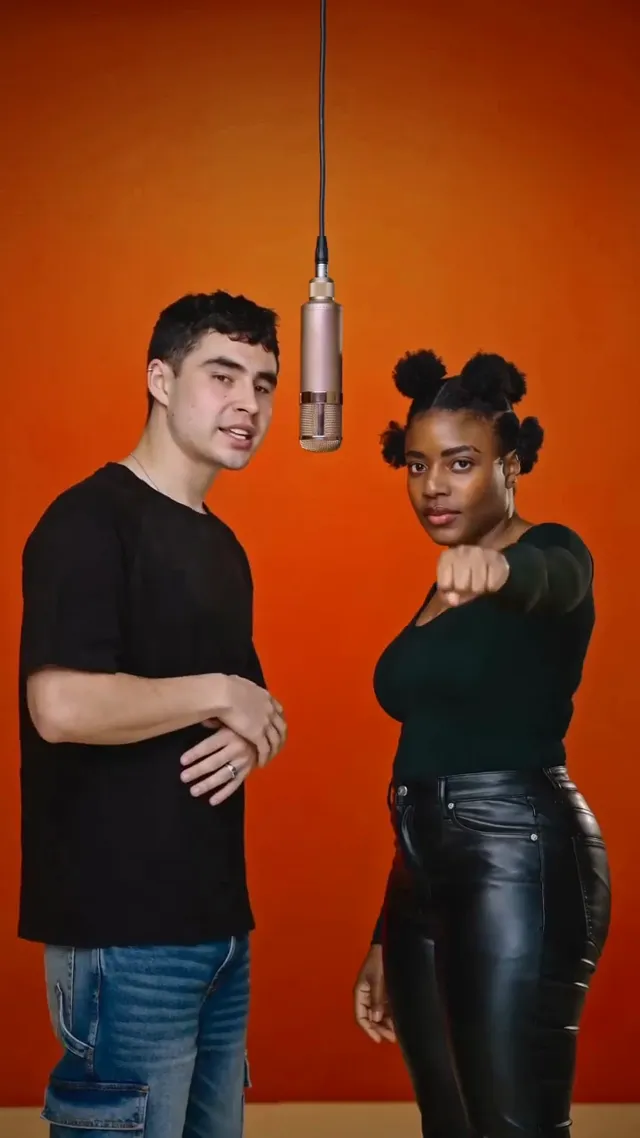
Boombox Slide AI Video Template
The Boombox Slide AI Video Template is a 10-second 16:9 street duet: boombox on the left, partner on the right, 720p. Upload the two portraits below and generate on this page.
2 photos
Upload photosAdd the photos the template needs, enter an email, and pay. We email the video when it is ready.
Photo setup
Upload photos for this Boombox Slide AI Video Template
Choose one clear photo for each role.
Person on the left carrying the boombox on one shoulder.
One clear face, good lighting, no face covering.
Person on the right, singing toward the camera.
One clear face, good lighting, no face covering.
Scan the code with your phone and choose photos. They show up in this studio.
Enter an email, then pay. We email you when the video is ready. An account is optional.
Saving a draft keeps photos in this browser. Choosing Generate and paying uploads those photos so the video can be made.
Drafts stay in this browser until you delete them or browser storage is cleared or removed. They are not a backup and do not sync across devices.
The scene
The Boombox Slide AI Video Template is a two-person street duet. The frame is landscape 16:9. Performer A is on the left with the boombox on one shoulder. Performer B is on the right, singing toward the camera. The sidewalk, the boombox, and the camera path stay with the saved recipe. Your photos replace the two performers. The file you get is 10 seconds at 720p. iRap does not offer 480p for Boombox Slide, and it does not deliver a portrait crop. A depth guide, a scene still, and frozen audio drive the motion. You do not write a prompt or record a vocal. The photos do not clone your voice. The example video on this page is an existing style clip, 1280×720, about 10 seconds. It was not made from your photos. Watch it for the street, the boombox, who stands on which side, and the length. Faces and small gestures can change in a generated result. Make the video on this page. Upload one portrait for the left boombox lead and one for the right partner, confirm permission, and enter the email for the finished file. Guest checkout uses the same 10-credit pack as Hotel Lobby, US$9.90. Sign-in is optional. After payment, the private 720p link goes to that email.
What the Boombox Slide AI Video Template includes
- A fixed street scene and a boombox prop. You do not describe the shot in a prompt.
- Two roles: left lead with the boombox on one shoulder, right partner singing to camera.
- Landscape only: 10 seconds, 16:9, 720p. No 480p and no portrait export.
- Depth, a scene still, and frozen audio guide the motion. Your photos are not a voice clone.
- Guest checkout on this page. The 10-credit pack is US$9.90, the same pack as Hotel Lobby.
- A private link by email when the 720p file is ready. Signed-in jobs also show in My videos.
Make the boombox street duet on this page
- 1
Upload two portraits
Use the boxes under the example. One photo for the left boombox lead, one for the right partner. Separate pictures. JPEG, PNG, or WebP, up to 10 MiB.
- 2
Check left and right
Role A carries the boombox on the left. Role B sings on the right. The slot sets the side. Confirm you can use both faces.
- 3
Stay on this page
The permission box and Generate video button are here. You do not open another URL to start the Boombox Slide job.
- 4
Email, then pay
Enter the address that should receive the file and pay 10 credits (US$9.90). Generation starts after payment. An account is optional.
- 5
Review the 16:9 file
Open the email link or My videos. Check both people, the boombox side, the framing, and the audio before you share. The player above is the style example, not your render.
Which photos do I need?
Boombox Slide needs two portraits. Role A is the person on the left with the boombox. Role B is the person on the right, facing the camera. Pick a sharp JPEG, PNG, or WebP under 10 MiB. One face per file. Front-facing or a slight three-quarter angle, with eyes, nose, and mouth visible. Skip sunglasses, masks, heavy filters, and group shots. The street and the boombox are already in the template, so the two photos do not have to be taken on the same sidewalk or on the same day. Only upload photos you have permission to use. If you are on your phone and the form is on a computer, use the phone photo button under the slots.
Lead performer
Person on the left carrying the boombox on one shoulder.
Boombox performer
Person on the right, singing toward the camera.
Use JPEG, PNG, or WebP, up to 10 MiB per photo. Only add photos you have permission to use.
Read the rap video photo guideHow to make a Boombox Slide AI rap video from two photosBoombox Slide questions
How many photos does the Boombox Slide AI Video Template use?
Two portraits, one person each. Role A is the lead on the left carrying the boombox. Role B is the partner on the right singing to camera. Slots decide the sides, not the order you pick the files. A single photo of two people will not fill both roles. Use JPEG, PNG, or WebP, up to 10 MiB, with the eyes, nose, and mouth visible.
What does the Boombox Slide file look like, and what does it cost?
Ten seconds, 16:9 landscape, 720p only. The street, the boombox prop, the camera, and the audio come from the saved recipe. Your portraits become the two performers. The clip uses 10 credits. Guest checkout charges the US$9.90 10-credit pack after you enter an email. There is no 480p option and no 9:16 version of this template.
Do I write a prompt or bring my own beat?
No. Two still portraits are the whole input. The recipe already has the scene, the depth guide, and the audio. Playing the example is the way to hear that audio before you pay. Your photos are not a voice recording.
Can I start Boombox Slide without an account?
Yes. The upload form is on this page. Add both portraits, confirm permission, and choose Generate video. We ask for the delivery email, then payment. You can sign in if you want the result under My videos, but guest checkout does not require it. The example stays a style reference. Your file arrives by the email link after generation finishes.